Your whole project on one board.

Photos, notes, lists, budgets and to-dos, side by side and connected. See the big picture and every detail at once, then share it, present it or work on it together.

Futur3 Board is in private beta. Ask for an invite.

Living room
A calm living room with a low sofa and wooden shelves
Room plan
  • Low linen sofa
  • Paper lamp
  • Oak shelf
  • One big plant
To do
  • Order the lamp
  • Measure the wall
  • Choose the rug
Oiled oak
#c8925a
Rice paper
#efe7da
Try it

Drag anything. The lines follow.

board.futur3.app
A Futur3 Board example: a home makeover with room photos, a colour palette, a costed shopping list and a to-do list, all connected
See everything at once

No more hunting through folders, docs and chats. The pictures, the plan and the to-dos sit together on one big canvas.

Connect what belongs together

Draw a line from a photo to its price, from a decision to its task. Anyone can follow your thinking at a glance.

Keep what you make

Every board is a file you own, on your computer or in your own Google Drive. It works offline, and it's always yours.

Lines that mean something.

Most whiteboards join boxes. Futur3 Board joins the exact thing you mean: one item on a list, one row of a table, one step of a plan.

  • Every list item, to-do and table row can have its own connector
  • Curved, straight or right-angled, with labels and arrows
  • Follow any line to see how the pieces fit
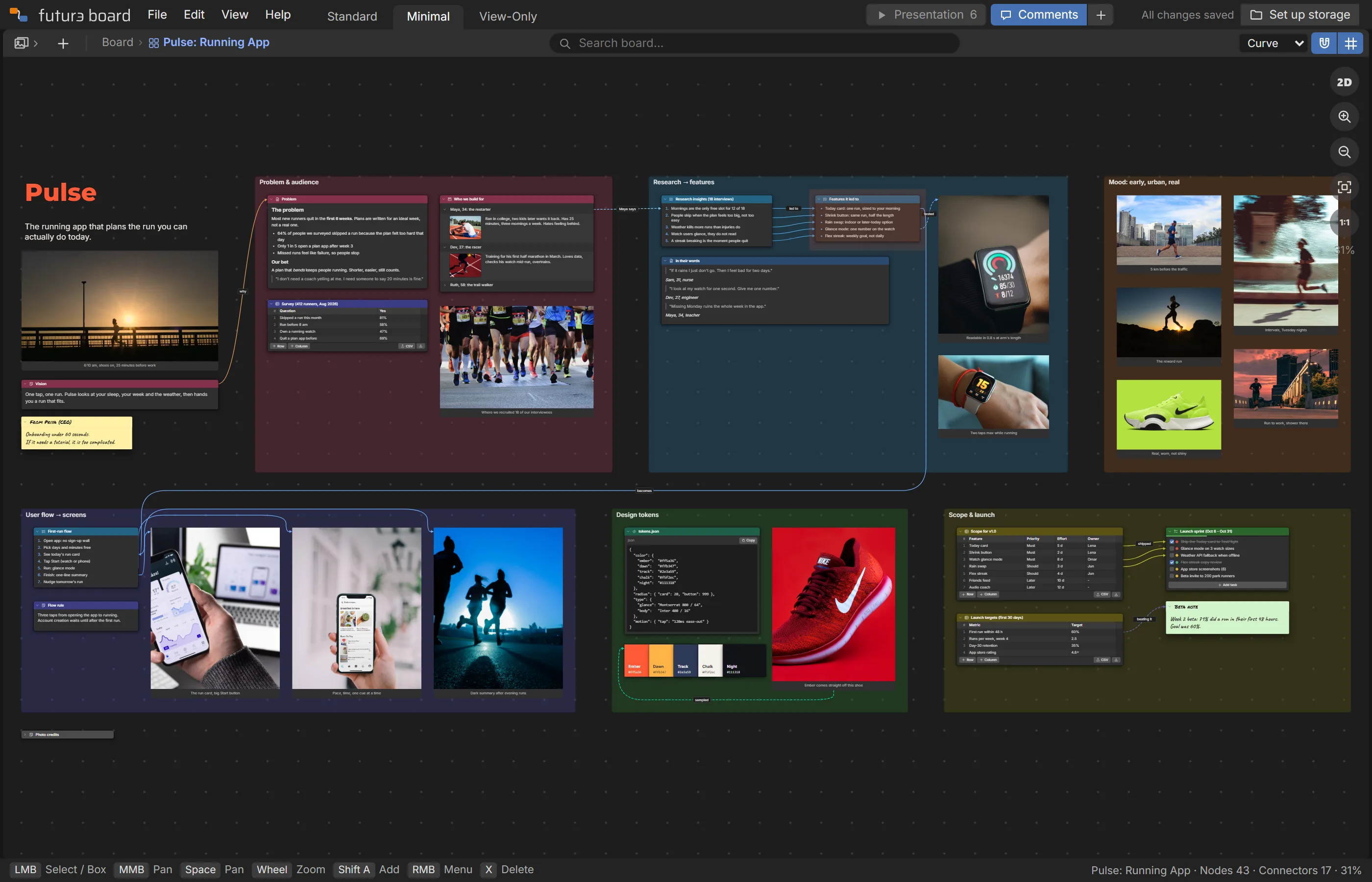
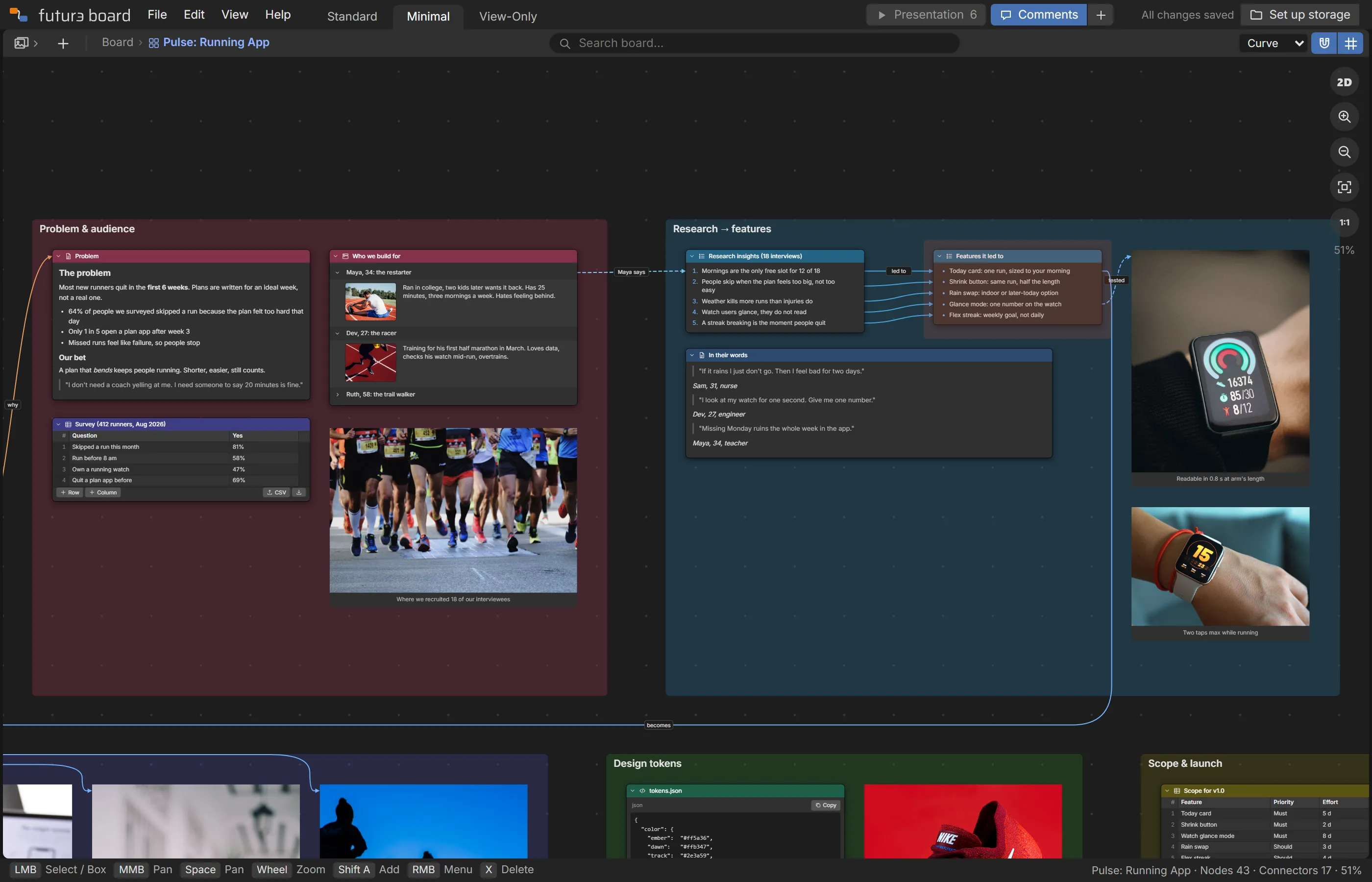
A running-app board where each research finding is connected to the feature it led to

The mood board and the plan, together.

Drop in photos and colours to set the feel. Then keep going on the same board: the schedule, the budget, the guest list, each one connected to the pictures it belongs to.

  • Drag or paste photos in; double-click to see them big
  • Colour swatches, big headings and sticky notes
  • Tables and to-dos with priorities
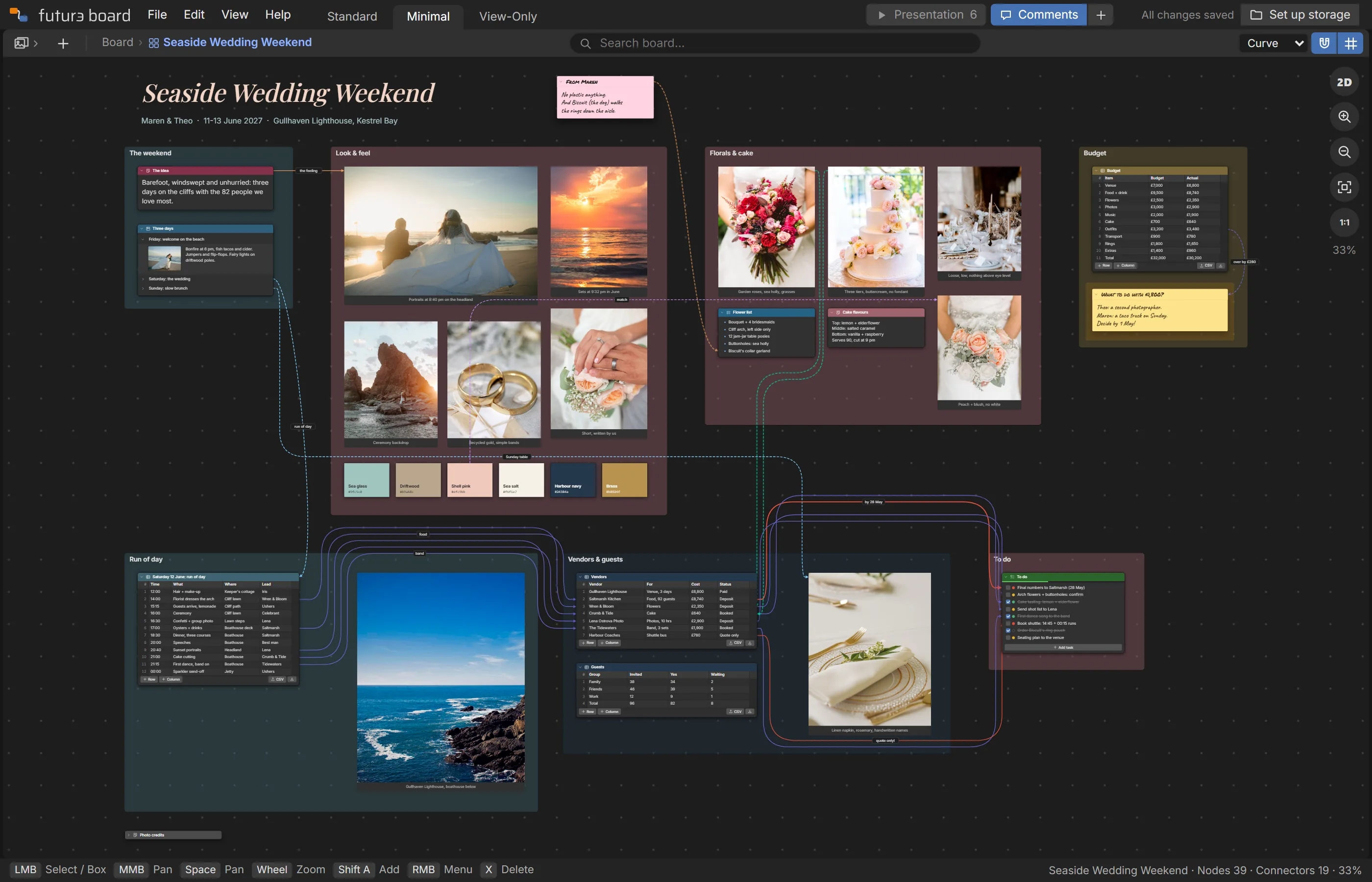
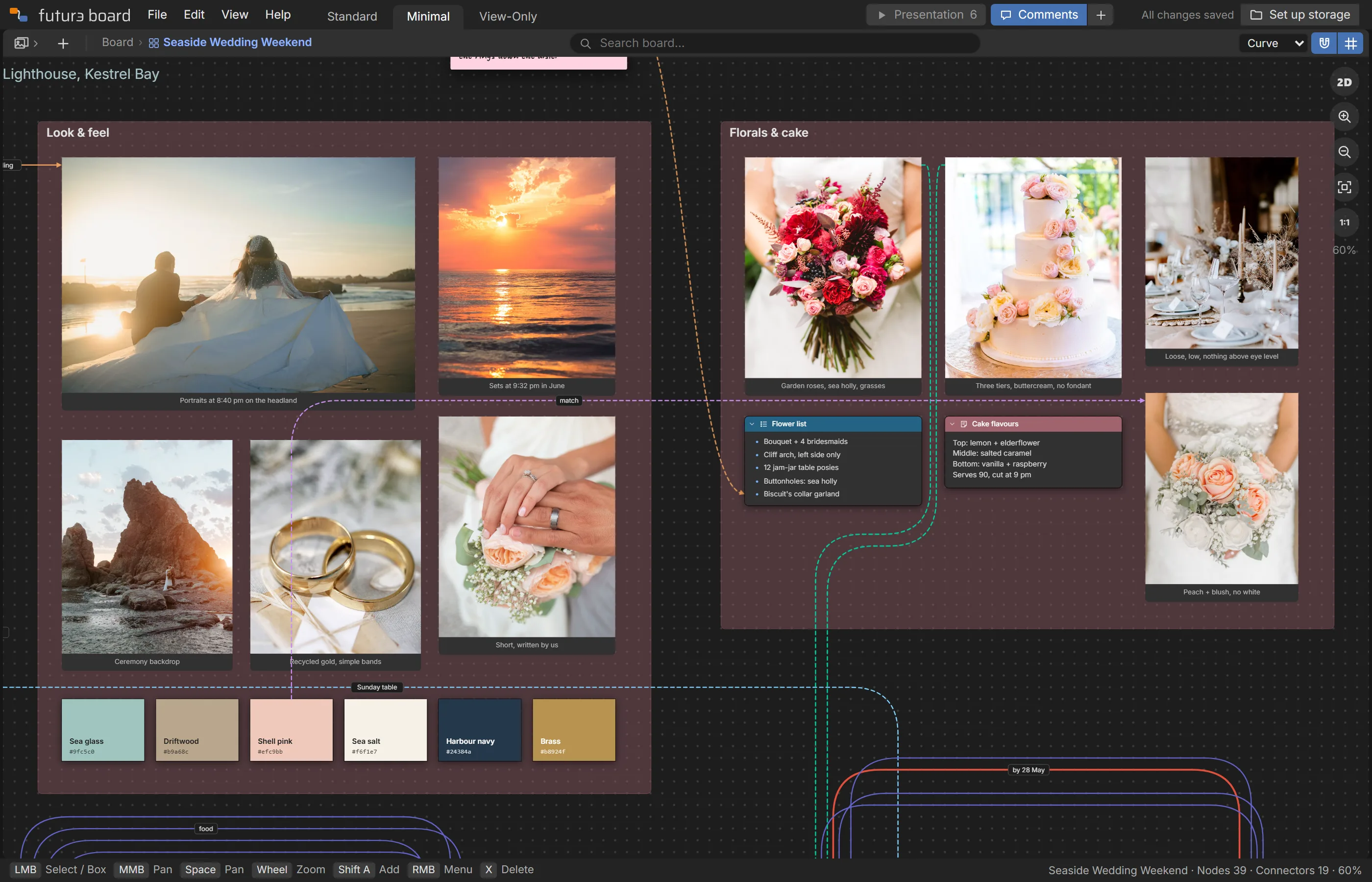
A seaside wedding board with photos, florals, a colour palette and the weekend schedule

Turn any board into a presentation.

Pick the views you want to show, and Futur3 Board glides between them, full screen. Reveal list items one click at a time. No slides to build, no copying and pasting.

  • Camera views with smooth moves between them
  • Fade, slide and reveal animations
  • Present from a share link, with nothing to install
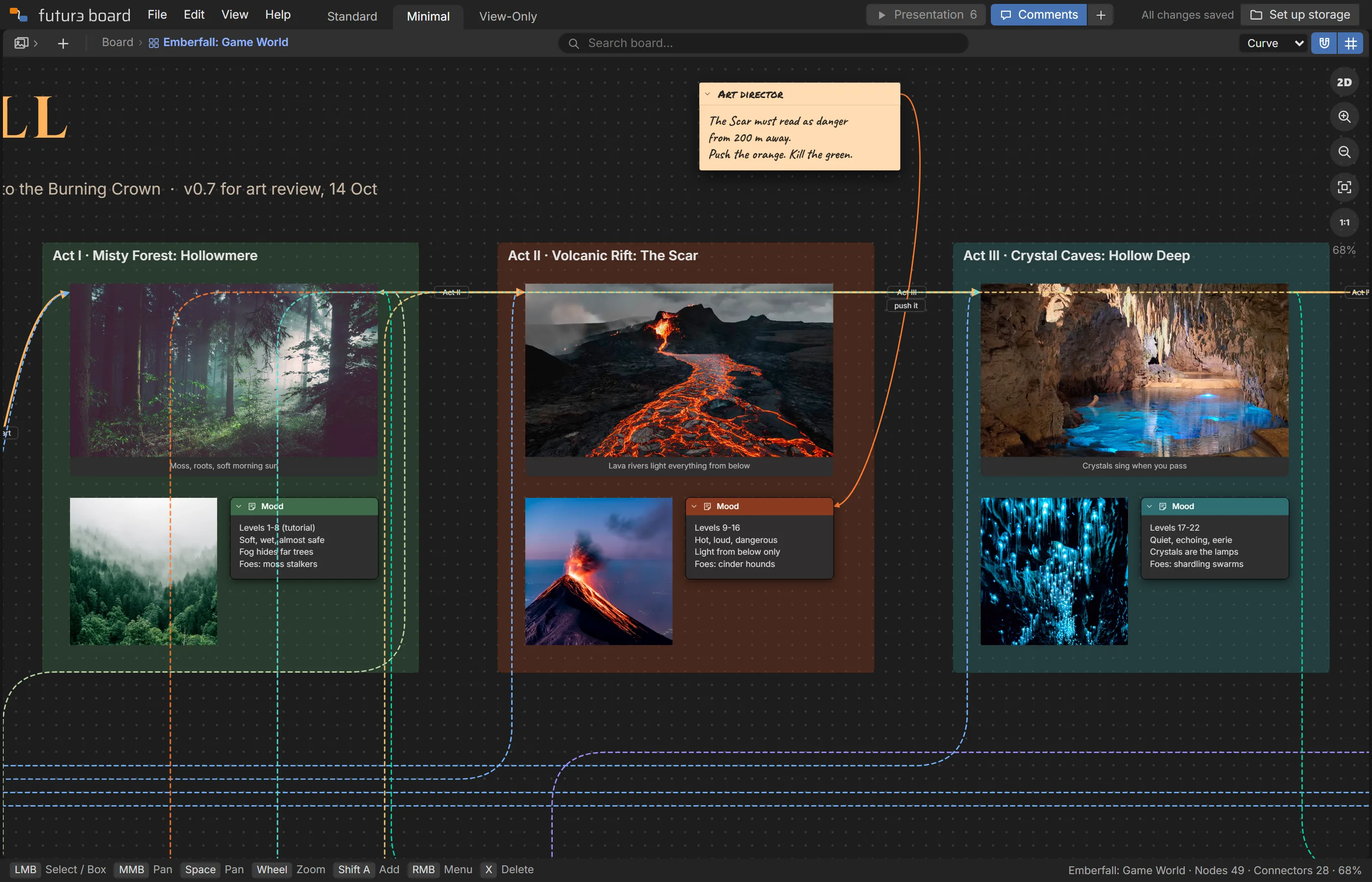
A game-world board showing a volcanic region, ready to present

Share it, or build it together, live.

Send a link and people can look around, leave comments or edit with you. You see each other's pointers and changes as they happen. Switch a link off any time and it stops working straight away.

  • View-only, comment and edit links, as many as you like
  • Live pointers, names and selections
  • Comments with arrows that point at the exact spot
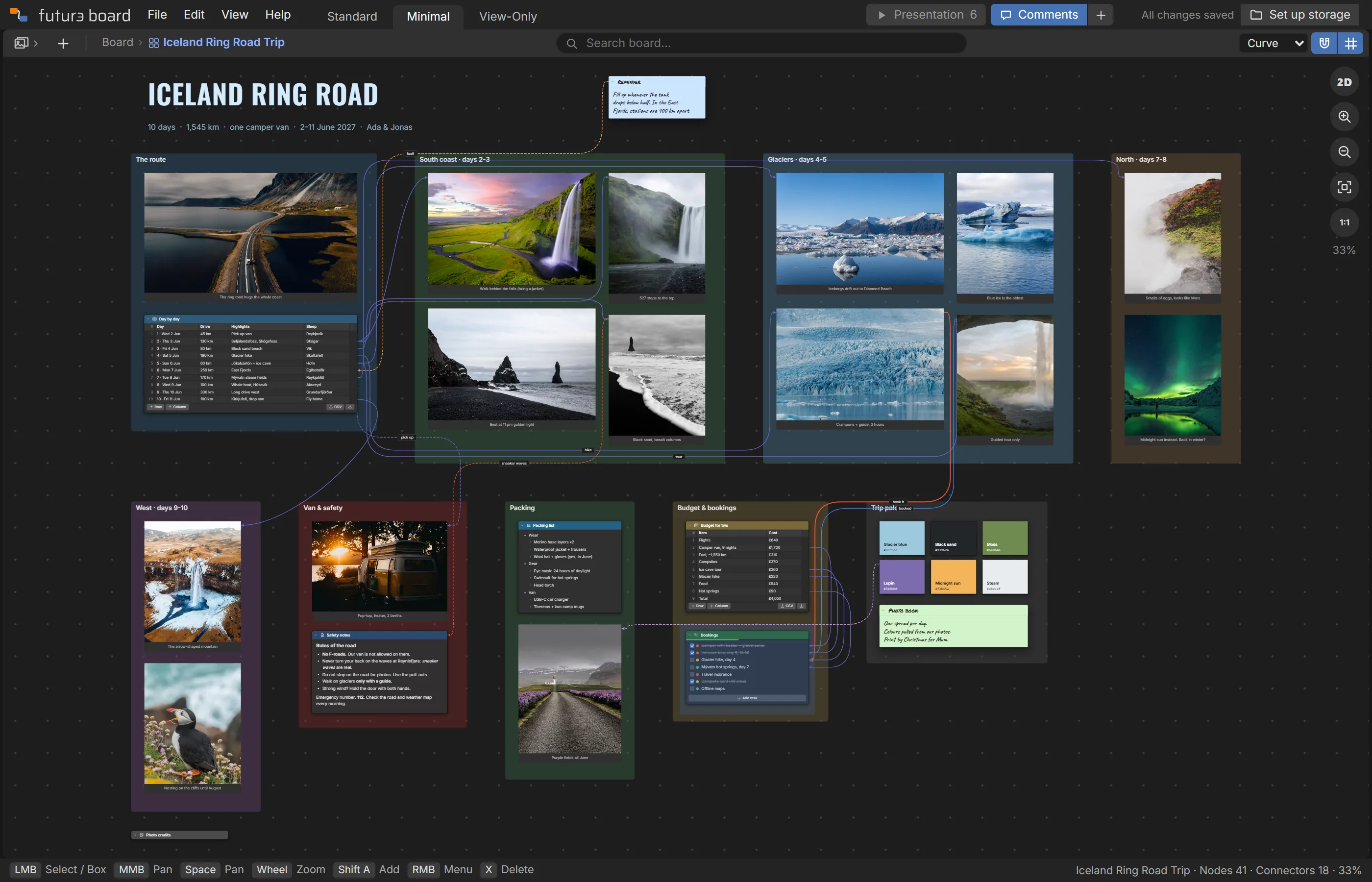
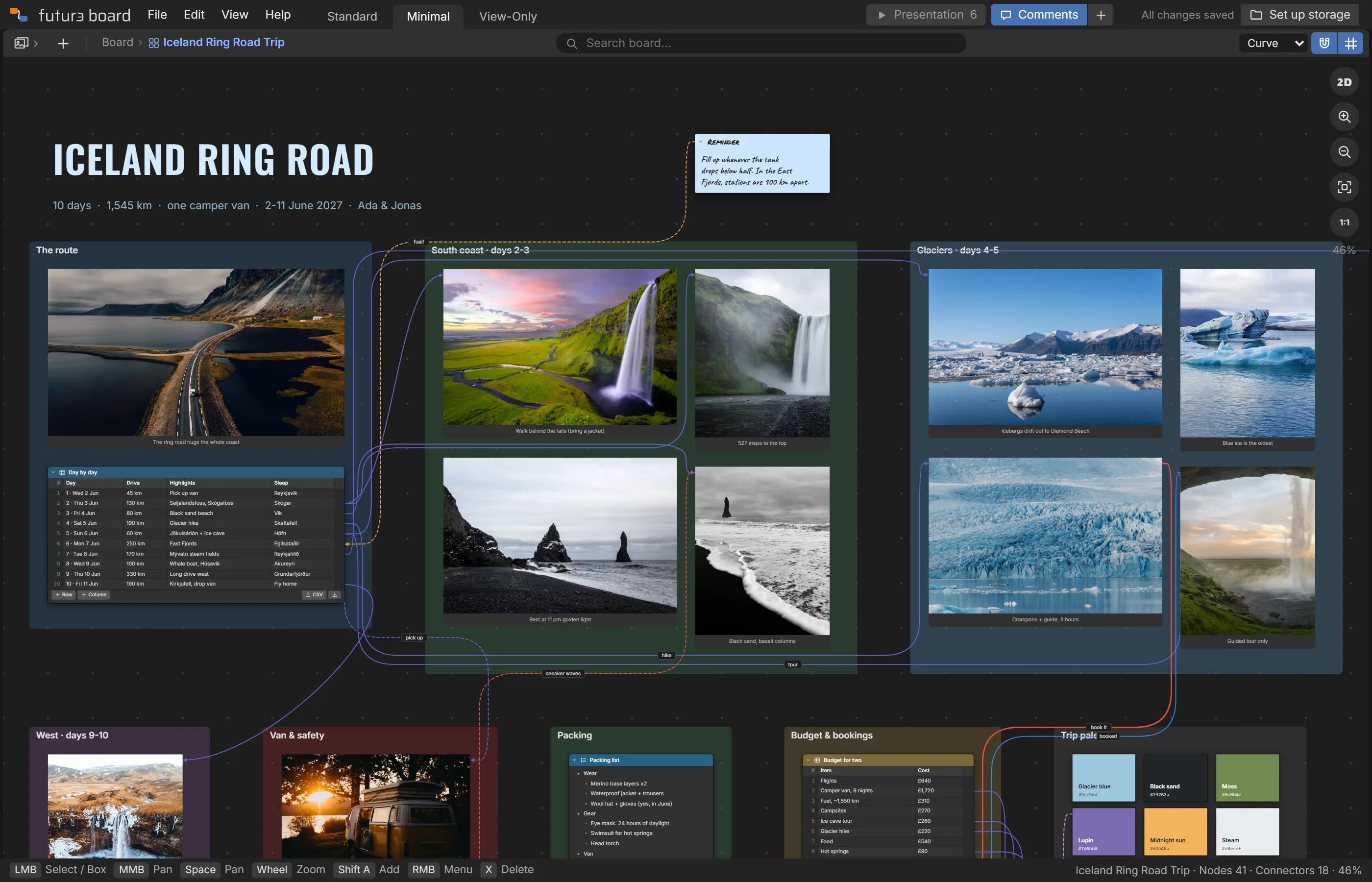
An Iceland road trip board: a day-by-day route connected to photos of each stop

20 building blocks. One canvas.

Each block does one job well. Put them side by side, group them in frames, and connect them.

Text

Big styled text with no box around it, in any Google font, or on a sticky note.

Note

Free text for briefs, rules and thoughts. Make it a sticky note.

Document

Formatted text: paste straight from Word or Google Docs.

List

Bulleted or numbered, with nesting. Every item has its own sockets.

To-do

Checklists with priorities and progress.

Accordion

Sections that open to show text and a picture.

Table

Rows and columns, with CSV import and export.

Image

Drop or paste photos, sketches and screenshots. Double-click to view large.

Link

One or more web links, each one clickable.

Embed

A live video, 3D scene, prototype, map or web page from another site, right on the board.

3D model

Drop in a .glb or .gltf model and turn it, zoom it, show it off.

Code

Code, queries, configs or data, one click to copy.

Colour

Palette swatches with copyable hex codes.

Board

Link to another board and dive into it.

File

Attach PDFs, documents and other files.

Frame

Group a section of the board behind a title.

Area Highlight

A tinted box over anything you want to point out.

Drawing

Draw with the marker, then move, scale and rotate it. The eraser takes out just the part you rub.

Shape

Rectangles, circles, stars and your own shapes, drawn behind everything.

Line

Straight or curved lines and arrows, with labels, anywhere on the board.

Made for the way you actually work.

Twelve things that make a board easier to build, share and keep. Each plays for a few seconds; rest your pointer on one to keep it, or click any to watch it.

Finished boards to explore.

Real projects, start to finish. Open one, press Present, change anything you like and keep it. They're in the app too, under File › Import › Examples.

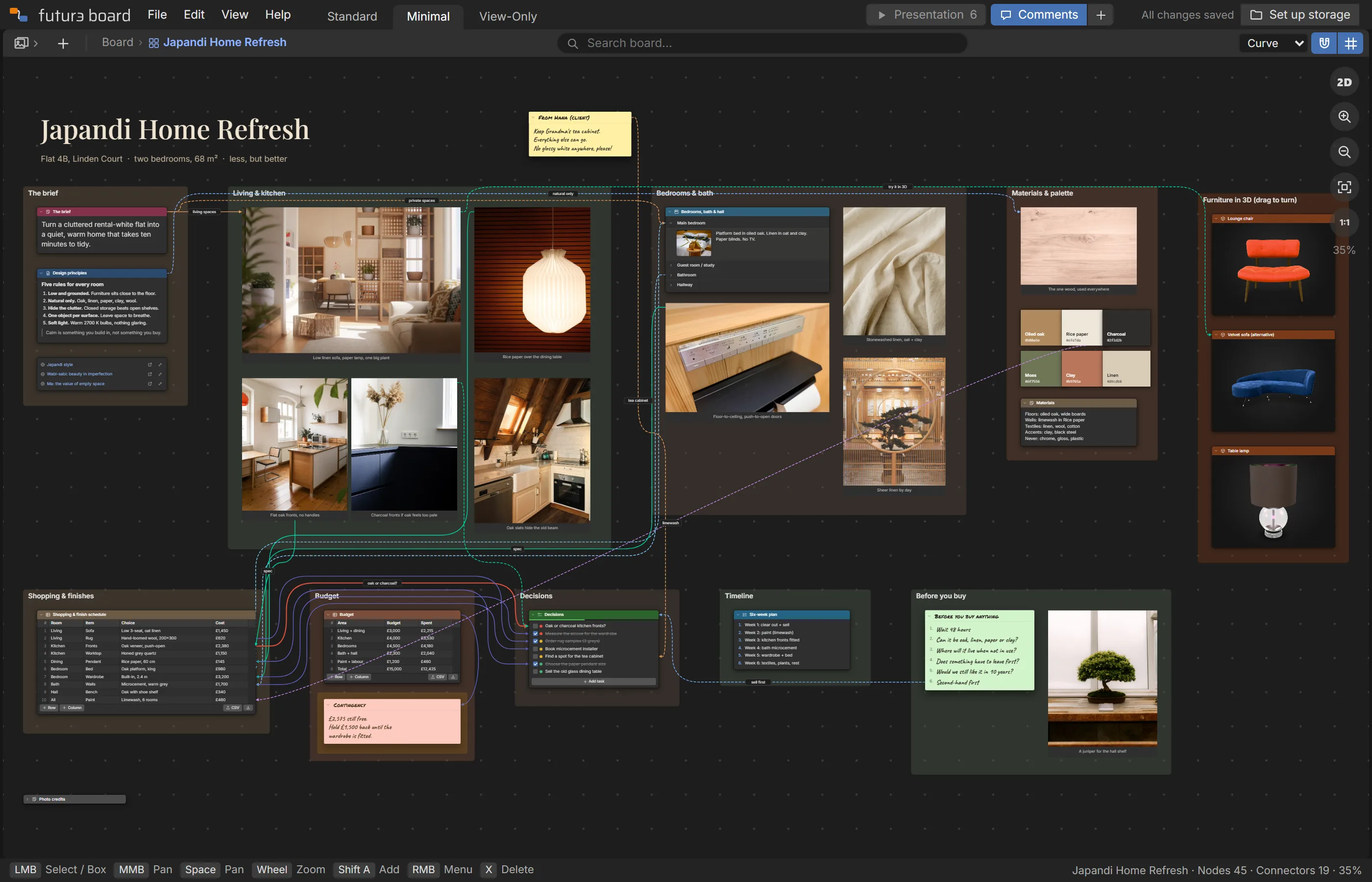
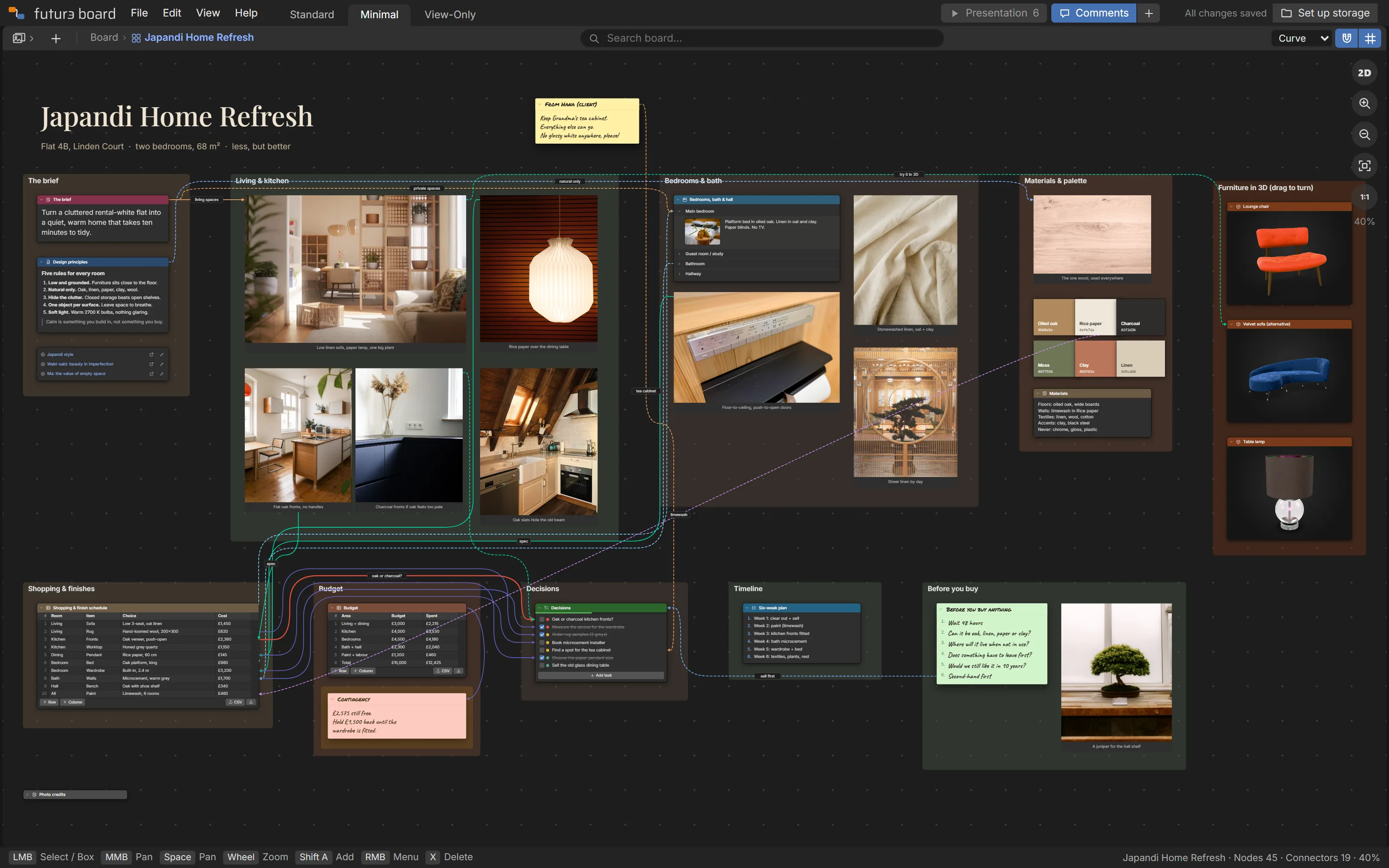
Japandi Home Refresh example board
Japandi Home RefreshA calm Japanese-Scandinavian makeover of a two-bed flat: room moodboards, palette, a costed finish table and the decisions it drives.
Photo moodboardAccordion roomsCosted tableRow → task linksPresentation
Open this example
Seaside Wedding Weekend example board
Seaside Wedding WeekendA three-day coastal wedding: look and feel, florals and cake, a run-of-day schedule wired to vendors, the budget and the to-dos.
Photo moodboardSchedule → vendor linksAccordion daysBudget tablePresentation
Open this example
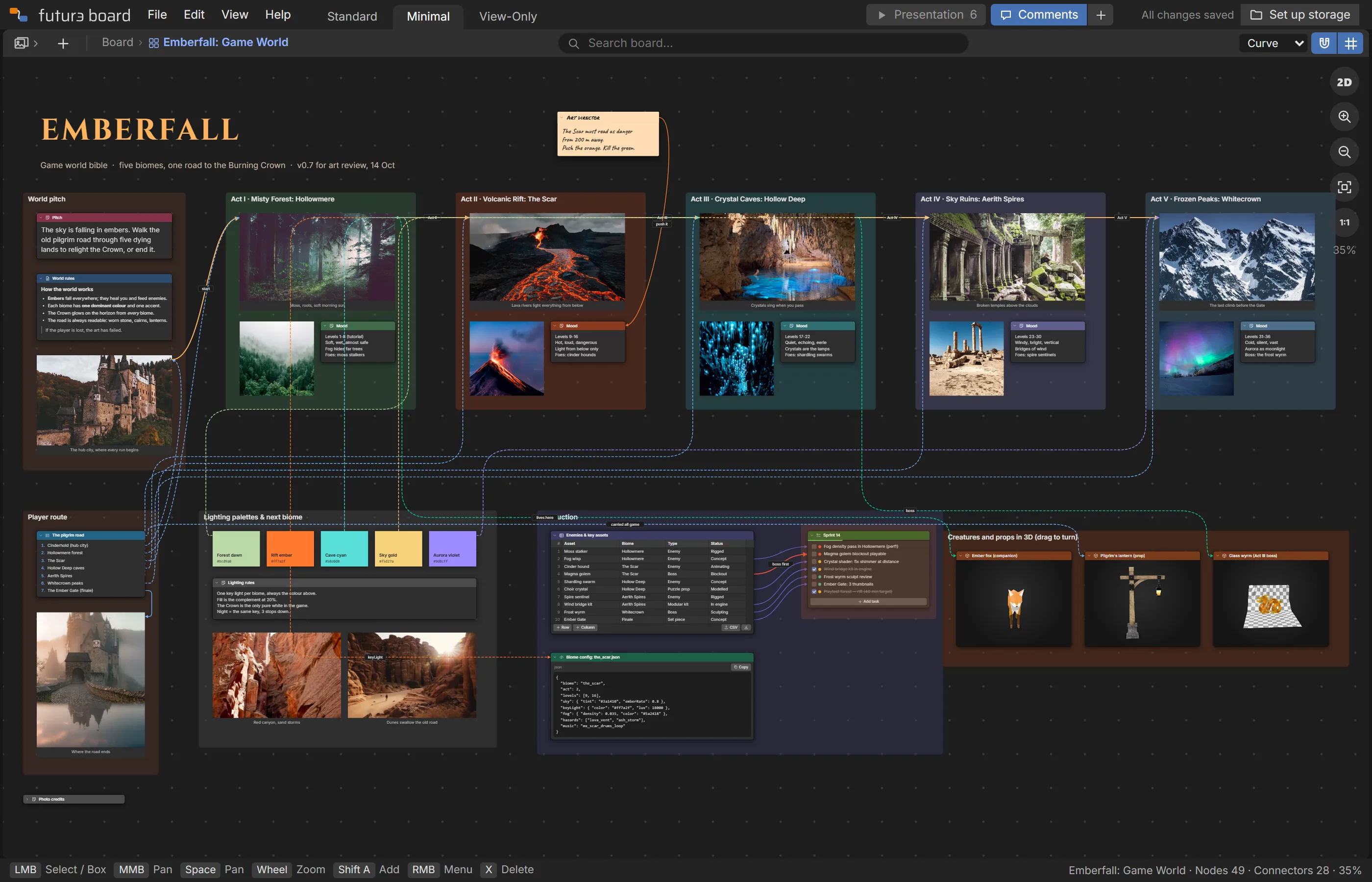
Emberfall: Game World example board
Emberfall: Game WorldEnvironment design for a fantasy action game: a frame per biome, the player route linking them, lighting palettes, assets, a config and sprint tasks.
A frame per biomePlayer route linksLighting paletteConfig (code)Asset → task links
Open this example
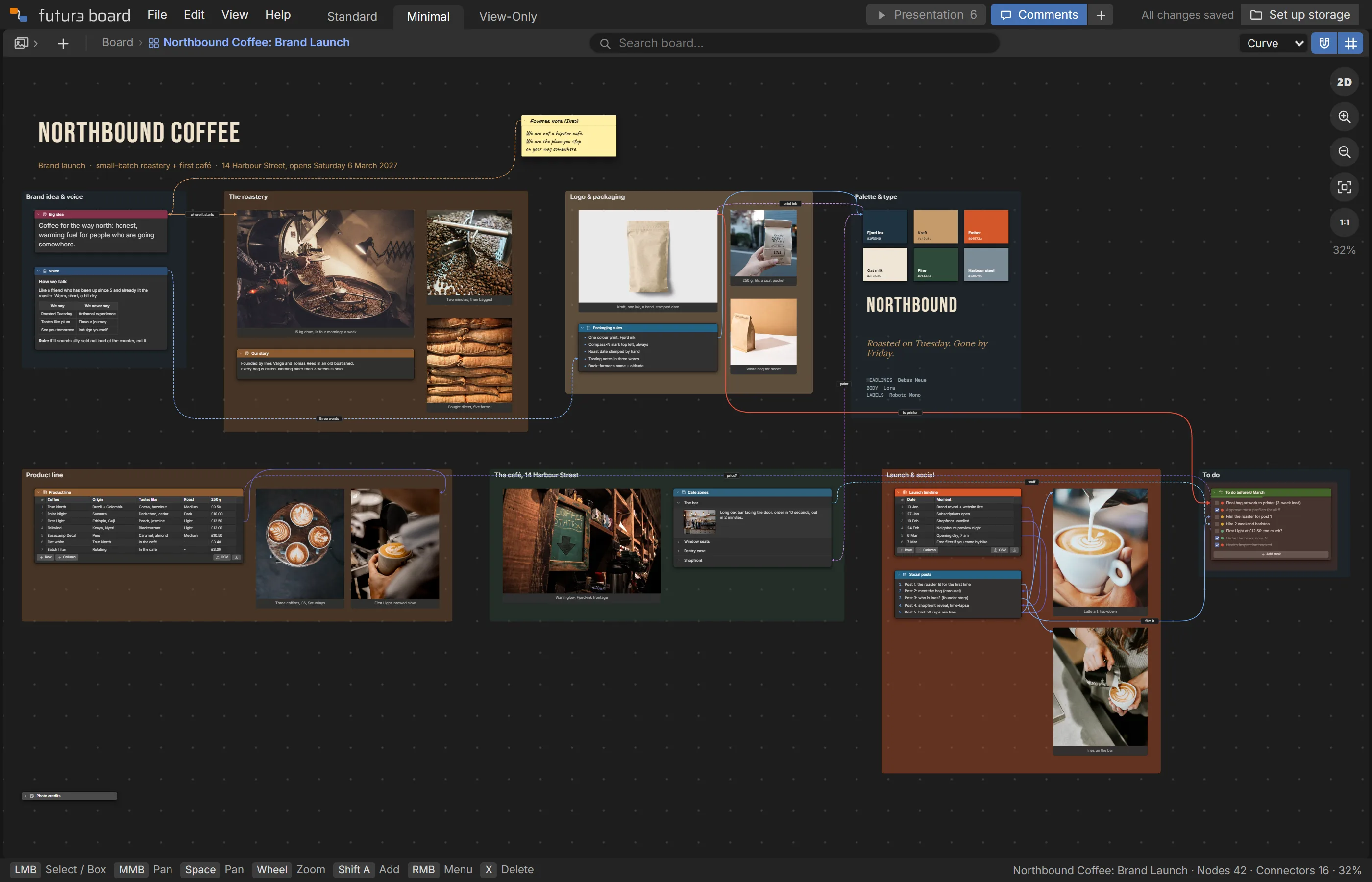
Northbound Coffee: Brand Launch example board
Northbound Coffee: Brand LaunchA small-batch roaster launches its brand and first café: big idea, voice, packaging, palette and type, product line, café and launch plan.
Brand kitType specimensProduct tableTimeline → postsPresentation
Open this example
Iceland Ring Road Trip example board
Iceland Ring Road TripA 10-day self-drive around Iceland: a day-by-day route wired to the places, photos by region, packing, budget, bookings and safety notes.
Day → place linksPhoto regionsBudget tableBooking to-dosPresentation
Open this example
Pulse: Running App example board
Pulse: Running AppA running app from first interview to launch: persona, research wired to features, a flow wired to screens, design tokens and the sprint.
Research → featuresFlow → screensDesign tokensRow → task linksPresentation
Open this example
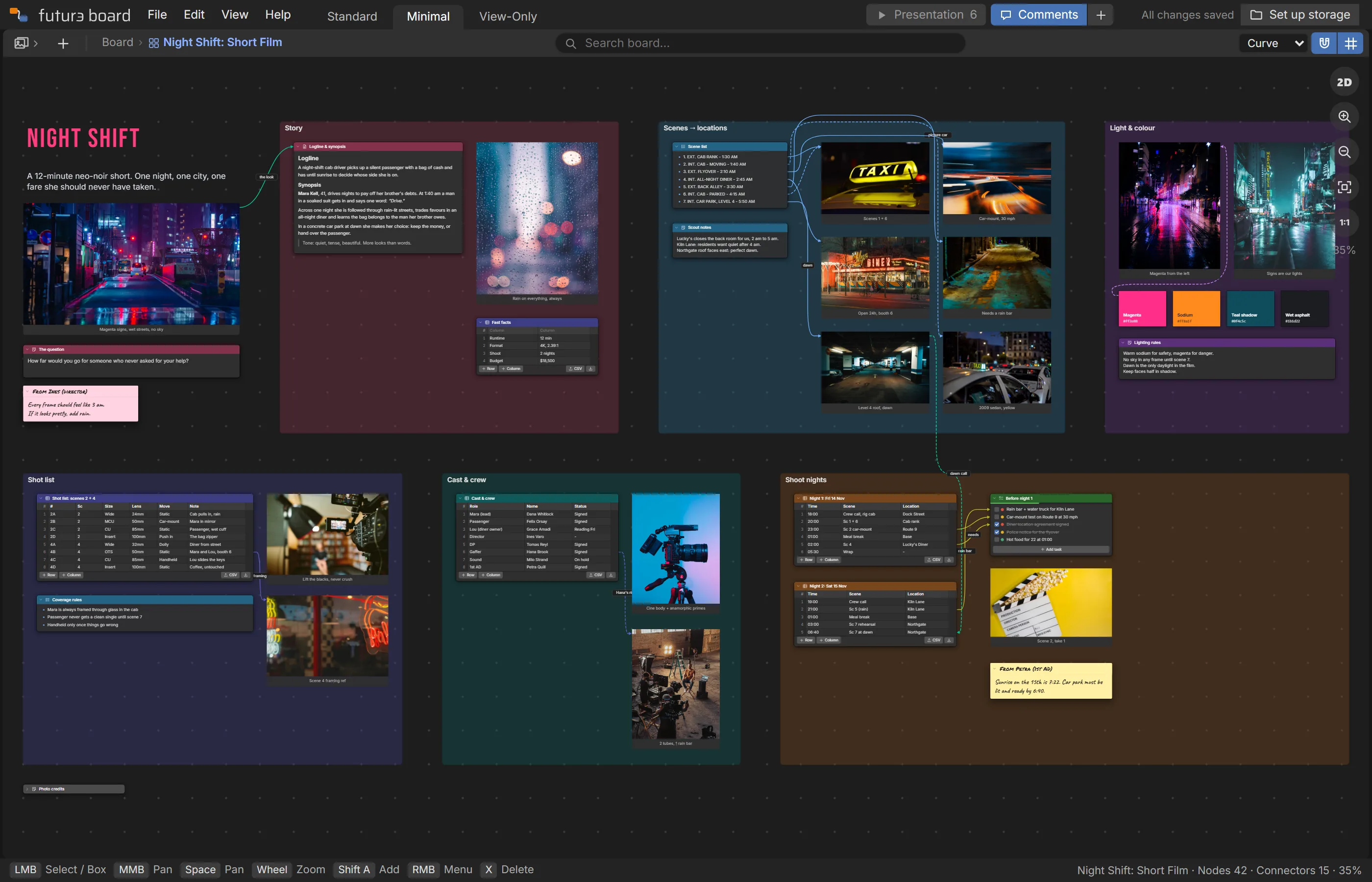
Night Shift: Short Film example board
Night Shift: Short FilmPre-production for a 12-minute neo-noir short: script, scenes wired to locations, shot list, light and colour, crew and two shoot nights.
Scene → location linksShot list tableColour paletteShoot schedulePresentation
Open this example
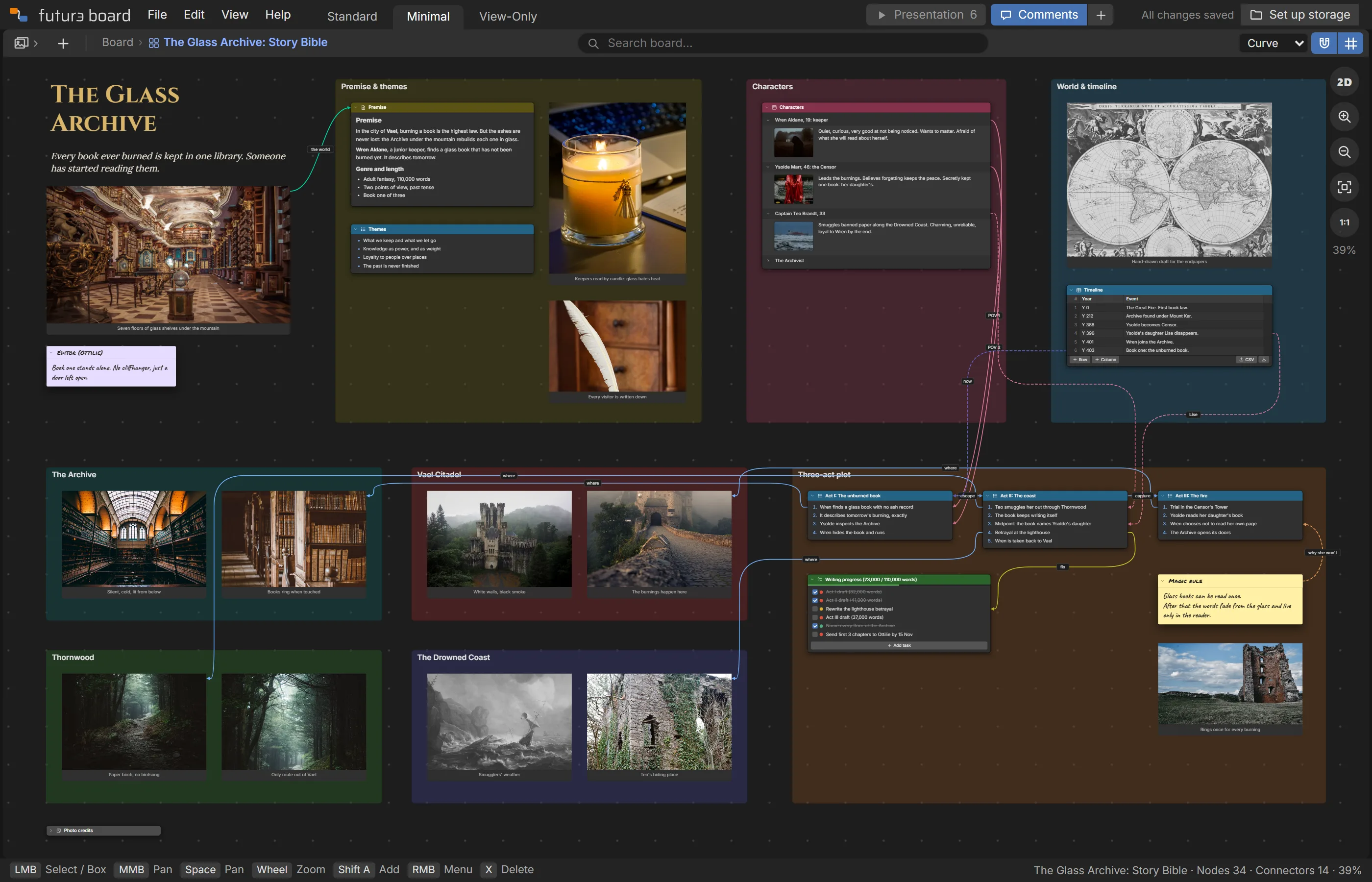
The Glass Archive: Story Bible example board
The Glass Archive: Story BibleA fantasy story bible: characters with portraits, places, a three-act plot wired to who and where, the timeline and writing progress.
Character accordionPlot → places linksTimeline tableWriting to-dosPresentation
Open this example
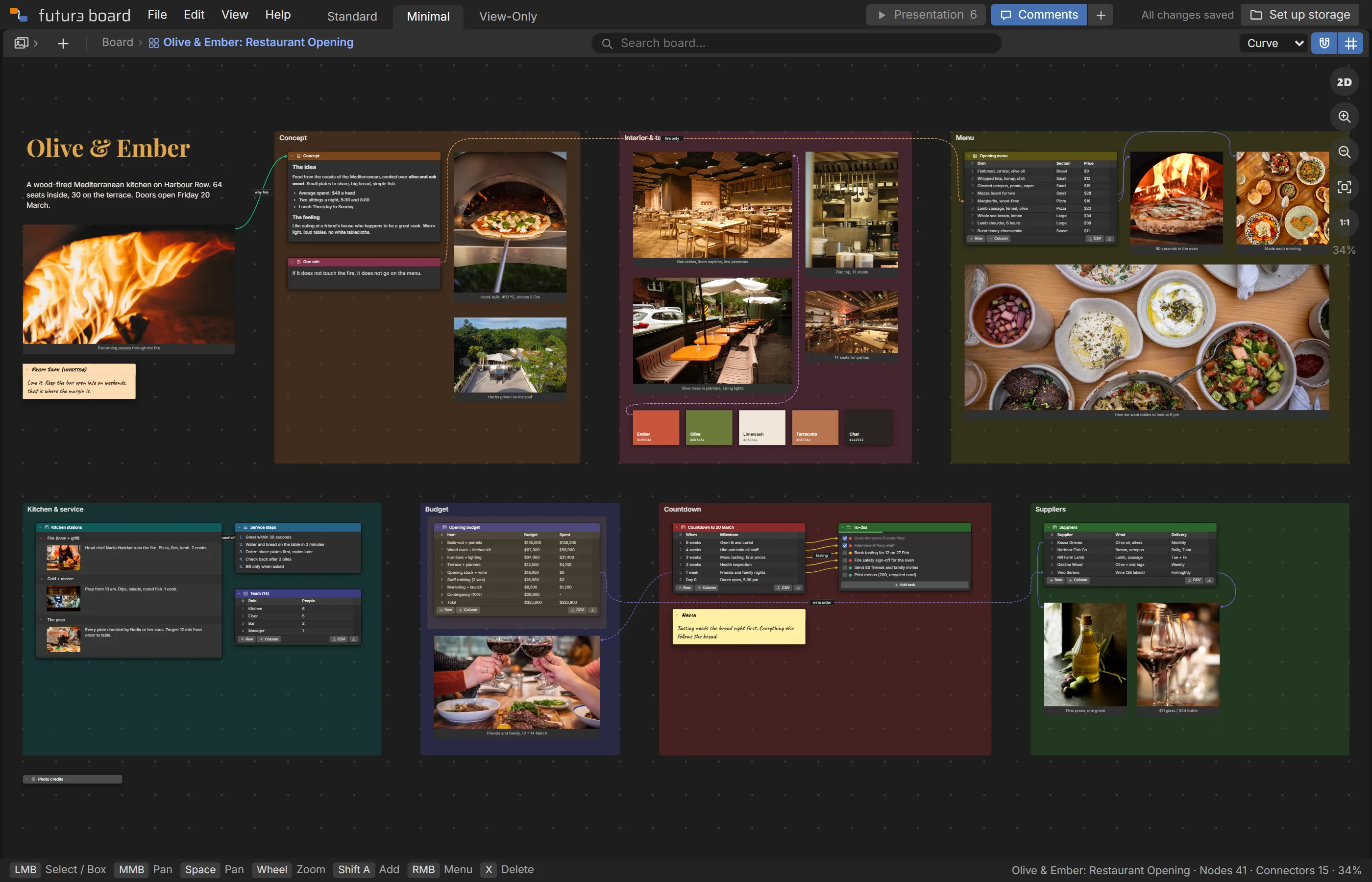
Olive & Ember: Restaurant Opening example board
Olive & Ember: Restaurant OpeningOpening a wood-fired restaurant: concept, room and terrace, a priced menu, kitchen stations, budget and a countdown wired to to-dos.
Photo moodboardPriced menu tableCosted budgetRow → task linksPresentation
Open this example
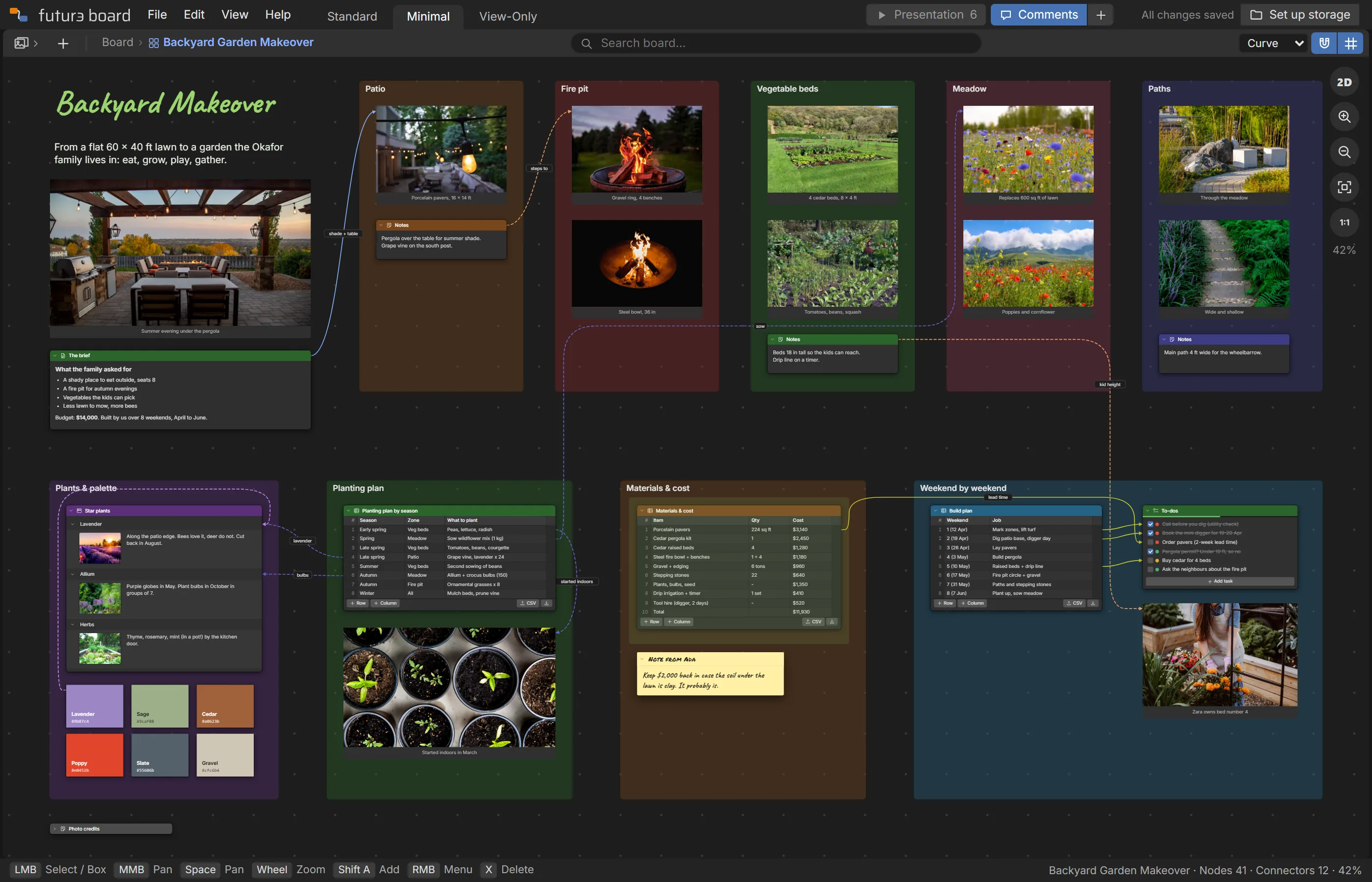
Backyard Garden Makeover example board
Backyard Garden MakeoverA plain lawn turned family garden: five zones with photos, a seasonal planting plan, costed materials and a weekend-by-weekend build.
Zone framesPlanting plan tableCosted materialsRow → task linksPresentation
Open this example

Your boards never touch our servers.

A board is a file, like a document or a photo. It goes where you put it, and you can keep it forever. See exactly where everything is stored.

On your computer

Pick a folder and your boards save straight into it, with their photos and files beside them. On iPhone, iPad, Safari and Firefox they're kept in that browser instead. Back them up now and then from the File menu, since clearing the browser's data removes them.

In your own Google Drive

Subscribers can save to a folder in their own Drive, so the same boards are on every computer. Futur3 Board can only see the files it made, nothing else in your Drive.

Works offline

Install it from your browser in one click. It opens like any app and keeps working with no connection, saving to your computer as you go.

Saves itself

Changes save a moment after you stop. Pack a board with its photos and files into one file to send or back up, or download it as a PDF or an outline.

Ask Claude to build the board.

Give Claude your notes, a spreadsheet or a few sentences, and it makes a finished board: frames, photos, palettes and connectors, ready to open.

AI assistants can read /llms.txt to find the skill. Download it for Claude here: futur3-board.zip.

Start free. Subscribe to share and sync.

One plan, one price, no seats to count.

Free
$0
  • Unlimited boards, photos and connectors
  • All 20 building blocks, drawing and sticky notes
  • Saved on your computer or in your browser
  • Install it and work offline
  • Comments and board history
  • All ten example boards and the Claude skill
Start free
Subscriber
$5 a month

or $50 a year, and save $10

  • Everything in Free
  • Your boards in your own Google Drive, on every computer
  • Share links to view, comment, present or edit together live
  • Presentations
  • PDF and web page exports
  • Your own branding on shared boards
Subscribe in the app

During the private beta, invited accounts get every Subscriber feature free: ask for an invite. Cancel any time and your boards stay yours. Payments are handled by Stripe. See how we compare with Milanote, Miro and FigJam.

Questions, answered.

What is Futur3 Board for?

Any project with lots of moving parts: a home makeover, a wedding, a trip, a game, a film, a book, a brand, an app. Anything you'd otherwise spread across a mood board, a spreadsheet, a doc and a to-do app.

Where are my boards stored?

Wherever you choose: a folder on your computer, your browser's own storage, or (for subscribers) a folder in your own Google Drive. Each board is a file, with its photos and attachments beside it. Our servers never store your boards. See it as a board.

Does it work offline?

Yes. Install it from your browser (Help › Install) and it opens like a normal app, even with no connection. Boards on your computer keep saving as usual; Google Drive catches up when you're back online.

What can Futur3 Board see in my Google Drive?

Only the files it creates. It asks for Google's most limited Drive permission, which doesn't let it see anything else in your Drive.

Which devices does it work on?

Any modern browser on a computer, tablet or phone. Saving to a folder you pick needs Chrome or Edge, on a Mac or a Windows PC. In Safari, Firefox, iPhone and iPad, your boards are kept in that browser on that device, so back them up now and then (File › This browser › Back up all boards), since clearing the browser's data removes them. Subscribers can save to their Google Drive on any of them.

Can I work on a board with other people?

Yes, with a subscription. Make a share link and choose what people can do: look, comment or edit. With an edit link you see each other's pointers and changes live. Switch a link off from any device and it stops working at once.

What does subscribing add?

Google Drive, so your boards follow you to any computer; share links for viewing, comments, presenting and live editing; presentations; PDF and web page exports; and your own branding on shared boards. Everything else is free.

What happens to my boards if I stop subscribing?

Nothing is deleted. They're your files, in your Drive or on your computer, and you keep the free plan. Your share links keep working for the people you sent them to.

Your next project deserves a better board.

Start with a blank canvas or one of the ten examples. It's free.